The Powercode API represents a secure method for interfacing with Powercode programmatically. API endpoints are documented here. Examples of proper API Endpoint usage and Powercode API capabilities can be found on the same page.
Each Powercode server also serves its own interactive API documentation under Help > REST API Docs (https://yourdomain.com:444/docs/). For authentication and example calls, see Rest API.
¶ Generate an API Key
Powercode requires you to generate an API Key for each service that will make use of the API. 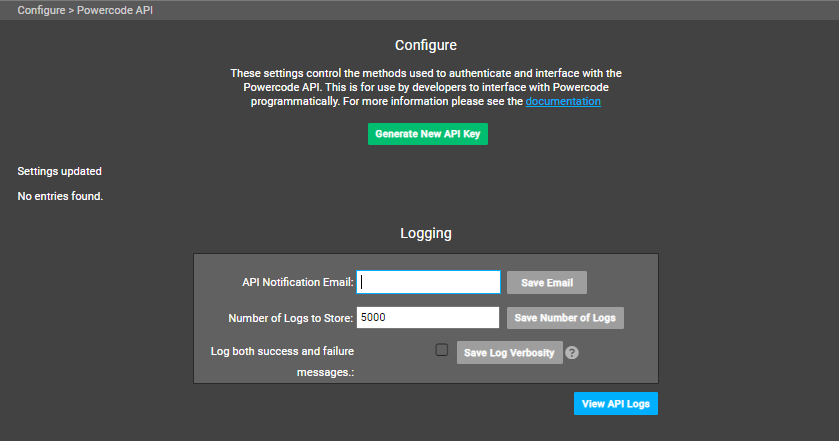 Go to Powercode Billing Server at Config > API Management and click **Generate New API Key. **
 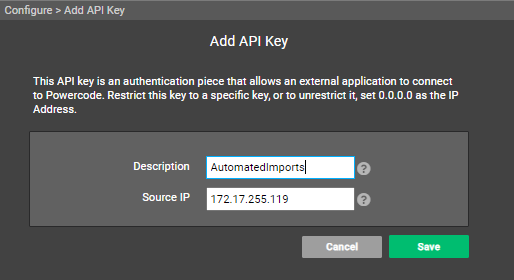 Enter the origin IP and a description of the service you intend to interface with the Powercode API and click Save to create your API Key.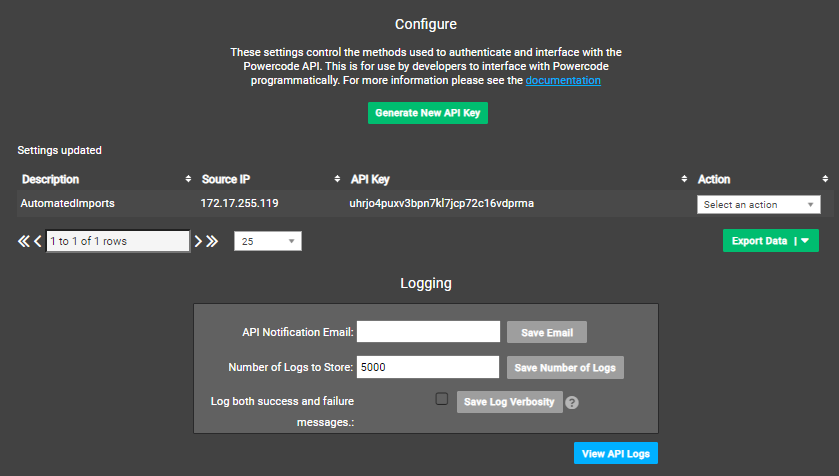
¶ Powercode API Settings
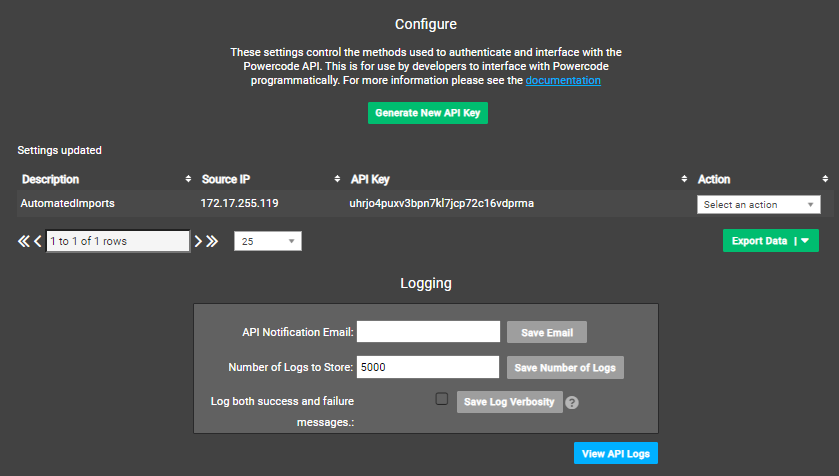 Generate New API Key: Allows creation of API keys for allowing API connections to your Powercode Billing server. Existing API keys are shown below the **Generate New API Key **button and can be edited or deleted using the **Action **dropdown. Editing an API Key allows you to regenerate the API Key string in addition to updating the Name and IP address.
¶ Logging
- API Notification Email: Enables a nightly notification email containing API Log updates.
- Number of Logs to Store: Sets the number of entries kept in the API Log
- Log both Success and Failure Messages: Enables the log to save all successful and unsuccessful captured API attempts. By default Powercode only logs unsuccessful API attempts.
- View API Logs: Click to access the API logging on your Powercode Billing Server.